> ## Documentation Index
> Fetch the complete documentation index at: https://domoinc-bradley-turek-pfilter-operators-reference.mintlify.site/llms.txt
> Use this file to discover all available pages before exploring further.

# AI Chat DataSet Restrictions

export const BetaNote = ({generic = false}) => <Note>
    <strong>Note:</strong>{" "}
    {generic ? "" : "This feature is in beta. "}
    Beta Program participants can enable features{" "}
    <a href="https://embed.domo.com/embed/pages/DQ8Ek">here</a>. To join the
    Beta Program, fill out{" "}
    <a href="https://embed.domo.com/embed/pages/K8GMx">this form</a>. For beta
    questions or feedback, email{" "}
    <a href="mailto:beta.admin@domo.com">beta.admin@domo.com</a>.
  </Note>;

<BetaNote />

## Intro

This article explains how to use AI Chat DataSet restrictions to control which DataSets AI Chat can access, including how to enable and disable restrictions, add DataSets to an allowlist or blocklist, and bulk upload DataSets.

***

## How Allowlists and Blocklists Work

Allowlists (formerly whitelists) and blocklists (formerly blacklists) are security measures for access control. Allowlists permit only approved items, denying everything else for high security. Blocklists deny specifically known bad actors, allowing everything else, which provides better usability. If AI Chat DataSet restrictions are off, AI Chat has access to all DataSets.

* **Allowlist —** Restrictive, high security. The default is "deny all."
* **Blocklist —** Permissive, lower security. The default is "allow all."

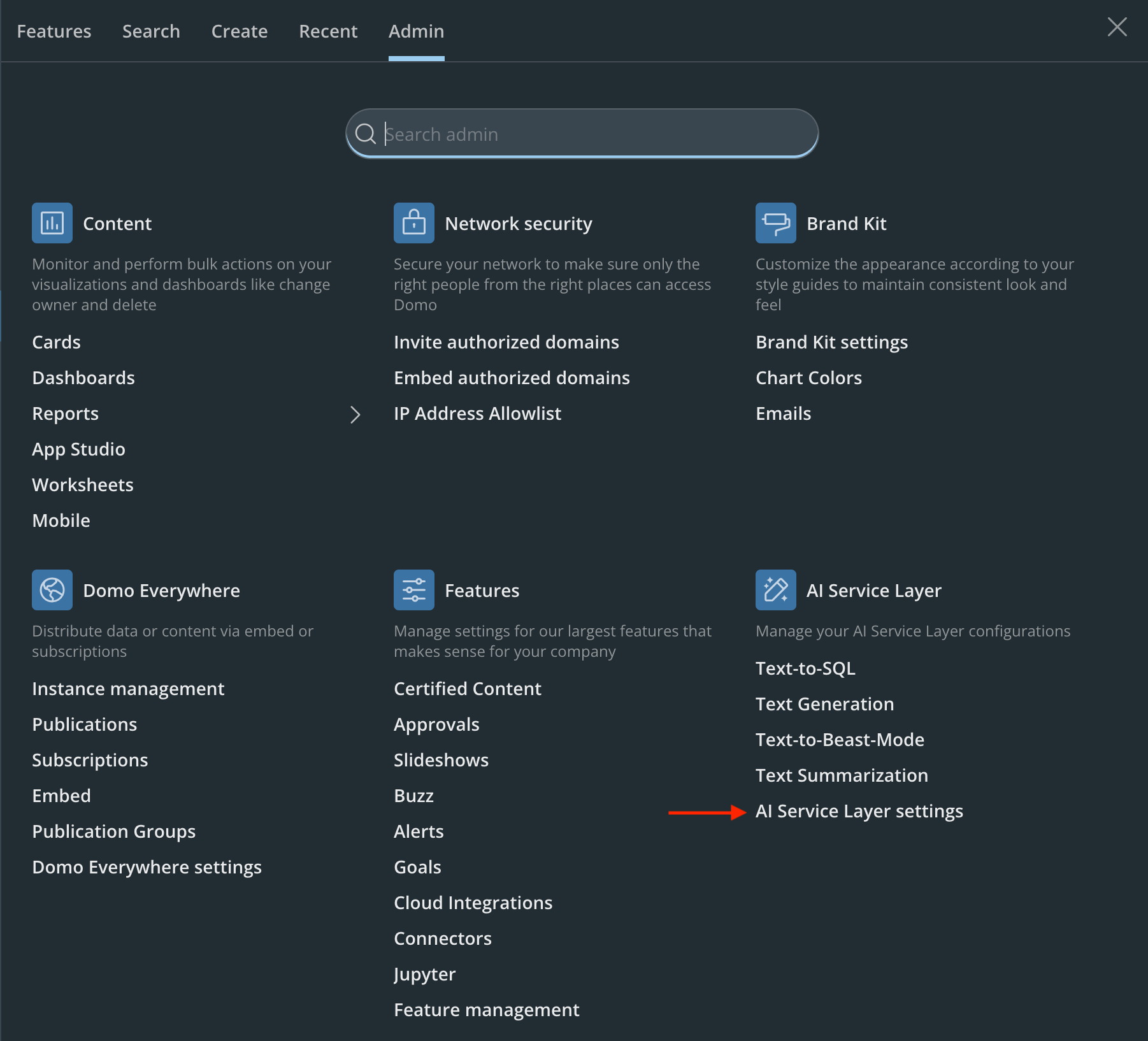
## Access DataSet Restrictions

Go to **Admin** > **AI Service Layer** > **AI Service Layer Settings**.
<Frame>
  <img src="https://mintcdn.com/domoinc-bradley-turek-pfilter-operators-reference/9n8RBrsmI6YtlOAQ/images/kb/aiChatDatasetRestrictionsMenu.png?fit=max&auto=format&n=9n8RBrsmI6YtlOAQ&q=85&s=7420851fd5709259a11944d1149c4742" alt="AI Chat DataSet Restrictions menu" width="1802" height="1634" data-path="images/kb/aiChatDatasetRestrictionsMenu.png" />
</Frame>

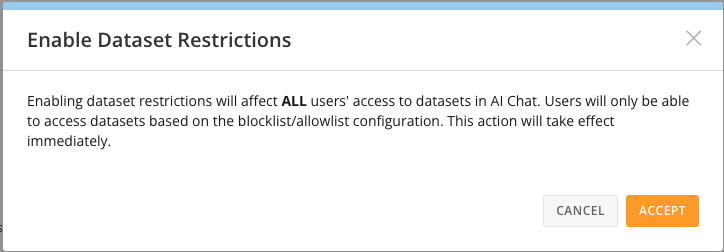
## Enable DataSet Restrictions

<Frame>
  <img src="https://mintcdn.com/domoinc-bradley-turek-pfilter-operators-reference/9n8RBrsmI6YtlOAQ/images/kb/aiChatDatasetRestrictionsEnable.png?fit=max&auto=format&n=9n8RBrsmI6YtlOAQ&q=85&s=2572698fda9514136c4946f9e6f61a0f" alt="Enable DataSet restrictions" width="724" height="252" data-path="images/kb/aiChatDatasetRestrictionsEnable.png" />
</Frame>

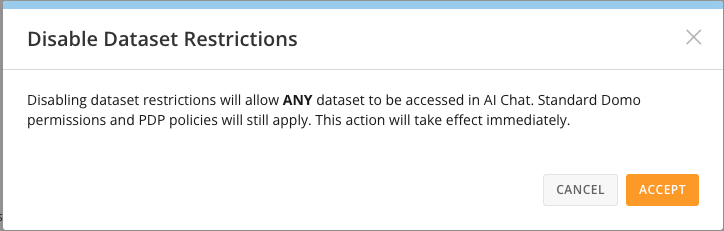
## Disable DataSet Restrictions

<Frame>
  <img src="https://mintcdn.com/domoinc-bradley-turek-pfilter-operators-reference/9n8RBrsmI6YtlOAQ/images/kb/aiChatDatasetRestrictionsDisable.png?fit=max&auto=format&n=9n8RBrsmI6YtlOAQ&q=85&s=236f56dd3b3497ed74a4b7728d32a60c" alt="Disable DataSet restrictions" width="724" height="231" data-path="images/kb/aiChatDatasetRestrictionsDisable.png" />
</Frame>

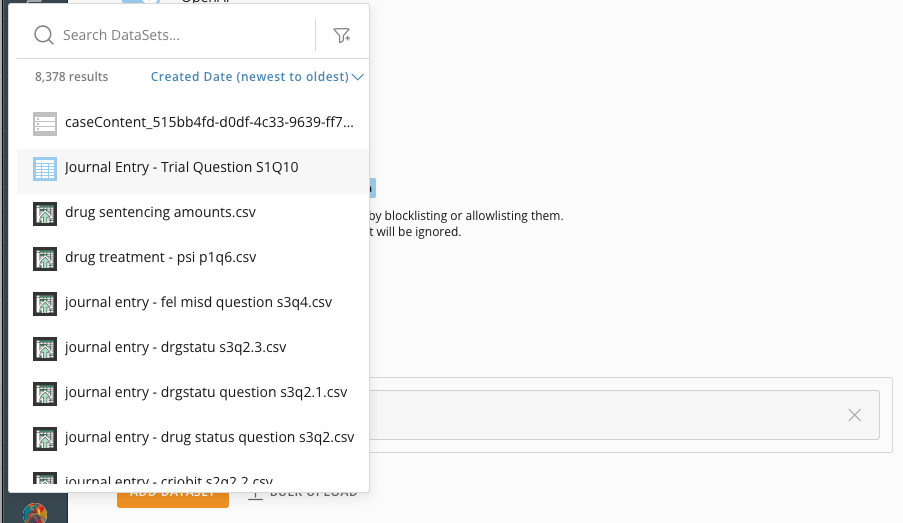
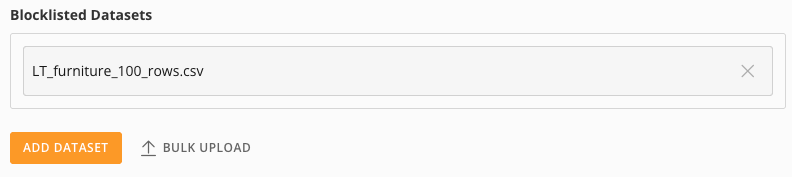
## Add a DataSet

Choose a DataSet to add to the blocklist or allowlist.
<Frame>
  <img src="https://mintcdn.com/domoinc-bradley-turek-pfilter-operators-reference/9n8RBrsmI6YtlOAQ/images/kb/aiChatDatasetRestrictionsBlocklist.png?fit=max&auto=format&n=9n8RBrsmI6YtlOAQ&q=85&s=a6eac1888a73df7b4696804d28f3ed4d" alt="Add a DataSet to the blocklist" width="792" height="177" data-path="images/kb/aiChatDatasetRestrictionsBlocklist.png" />
</Frame>

<Frame>
  <img src="https://mintcdn.com/domoinc-bradley-turek-pfilter-operators-reference/9n8RBrsmI6YtlOAQ/images/kb/aiChatDatasetRestrictionsSelector.png?fit=max&auto=format&n=9n8RBrsmI6YtlOAQ&q=85&s=7dcdca47c093920a7656bf9309473a05" alt="DataSet selector" width="903" height="523" data-path="images/kb/aiChatDatasetRestrictionsSelector.png" />
</Frame>

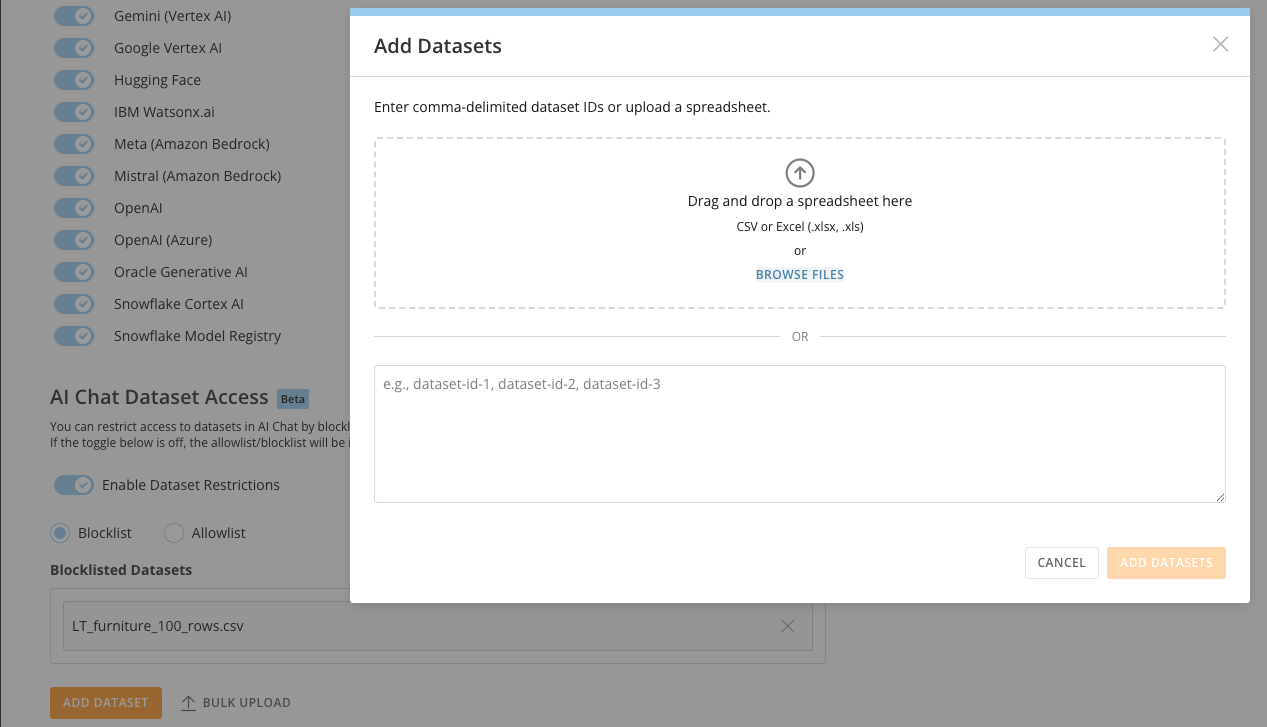
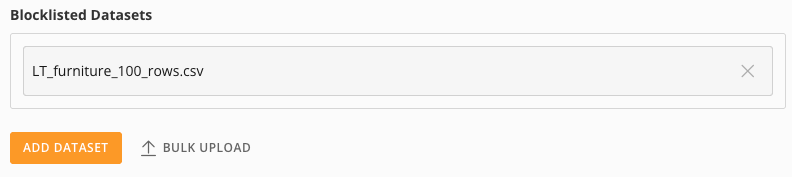
## Bulk Upload DataSets

Upload a comma-delimited list of DataSet IDs or a spreadsheet, or enter a list manually.
<Frame>
  <img src="https://mintcdn.com/domoinc-bradley-turek-pfilter-operators-reference/9n8RBrsmI6YtlOAQ/images/kb/aiChatDatasetRestrictionsBlocklist2.png?fit=max&auto=format&n=9n8RBrsmI6YtlOAQ&q=85&s=ec26ff650c4f7b01162aab3728b800d5" alt="Bulk upload DataSets" width="792" height="177" data-path="images/kb/aiChatDatasetRestrictionsBlocklist2.png" />
</Frame>

<Frame>
  <img src="https://mintcdn.com/domoinc-bradley-turek-pfilter-operators-reference/9n8RBrsmI6YtlOAQ/images/kb/aiChatDatasetRestrictionsBlocklist3.png?fit=max&auto=format&n=9n8RBrsmI6YtlOAQ&q=85&s=c6990d00e351dd055cead016ac7912a0" alt="Bulk upload DataSet list" width="1267" height="727" data-path="images/kb/aiChatDatasetRestrictionsBlocklist3.png" />
</Frame>